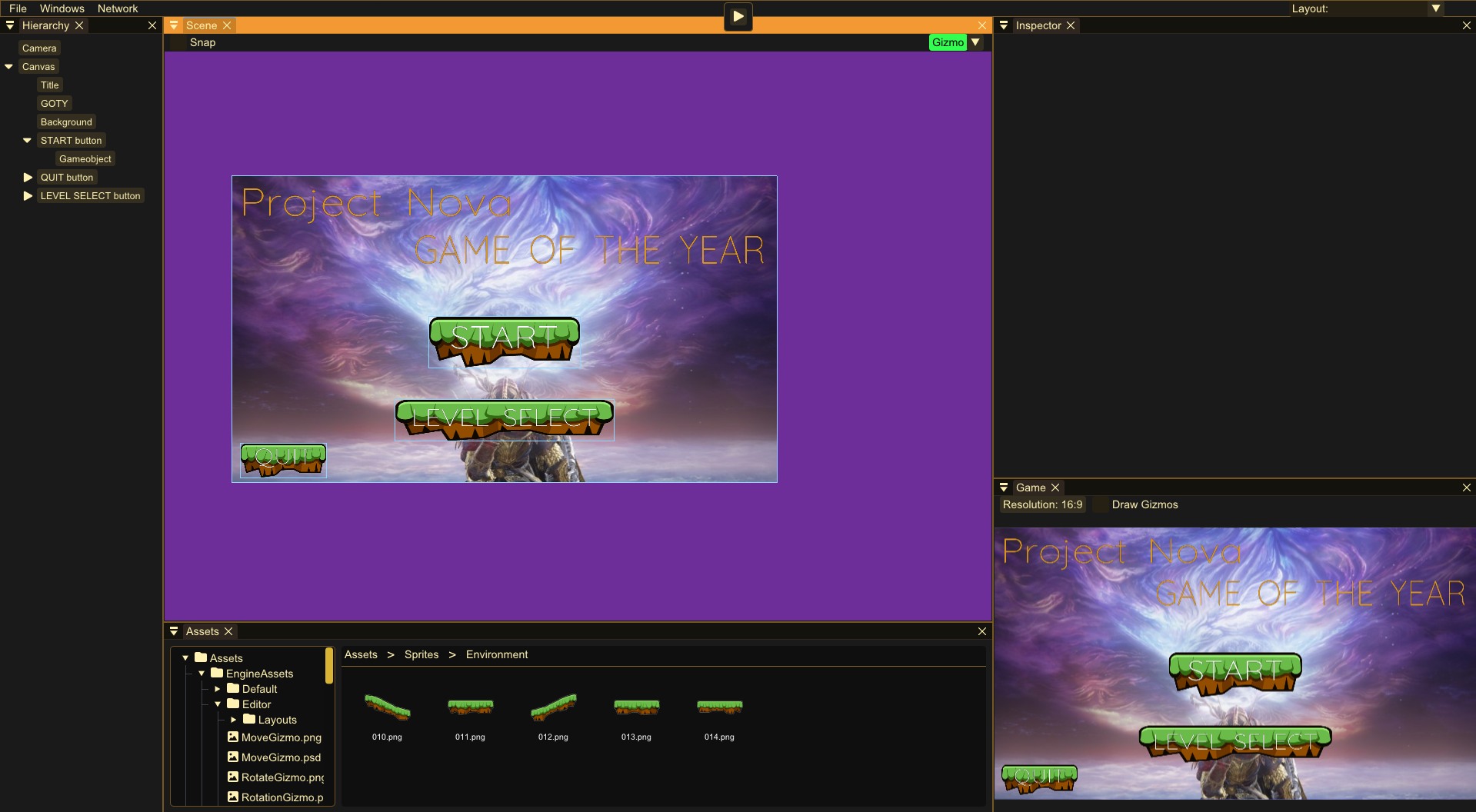
Eclipsed Engine is the most recent and biggest project that me and another developer has begun.
This is going to be a fully fledged out game engine with an editor that currently only 2D but will expand into 3D and more rendering api's like DirectX11 later on.
Eclipsed Engine is being used to make a game within our studio we code named, Project Nova.
Editor
Like mentioned before the engine has an editor that is quite Developed and looks much like how the final version will look.
Editor GameObject Childing
When editing a level in an engine it needs to have a nice process and no hassel.
The engine already had childing with transforms from previously and using matricies to multiply in one objects space into the parents space.
Making it child is easy, the problem comes with the unpredictable parents transform and places the child very differnt from where it was before.
When childed the object will move and apply all of its parents transforms, it's correct in terms of the computer doing what its told.
But its not what we want for a good feeling editor.
To make it work I had to use more matrix calculations to multiply everything backwards in a way.
We multiply the inverse of the parents transform with the transform of the child.
This means we go out of the parents local space while still in world space to make it inversed.
When it then becomes a child of parent it still has an inversed transform and will then apply the childs old transform and thus will reset all the childs transform.
This means it kept everything the same visualy in the editor but internaly its moved, rotated and scaled to match what it was before.
I hope this made somewhat sense if you are reading and would like me to explain more in detail/better send me an email at
simon@pixi.nu
OpenGL graphics API
For the first graphics API to implement we chose OpenGL because it's the latest graphics api I worked with so it's simple enough to implement.
I could write about how OpenGL was implemented but it's been done so many times already and feels very unnecessary to write about again.
I will instead write about some problems that arose with using OpenGL which is less documented but solved big problems with OpenGL.
If you are interested and want to work with Graphics programming, I strongly recommend OpenGL and
LearnOpenGL Hello Triangle as a starting place.
OpenGL rendering problem
The normal way to transfer data from code to shader is to use
glGetAttribLocation
to get the index for the variable name in shaders.
When rendering thousands of sprites the engine lagged like crazy and had no idea why.
I decided to check the performance using
Nvidea Nsight
a GPU performance profiler to check what is taking so long to do.
As you could guess at this point the culprit was glGetAttribLocation.
It could take up to 0.1 millisecond per call, 3 calls for transform, 3 calls for canvas and more variables. It adds up fast.
The solution
I solved the problem by using Uniform Buffer Objects, UBO for short. You can read more about it here
(
Uniform Buffer Objects).
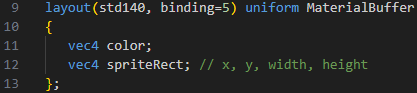
Instead of checking where the variable is in the shader you define a direct index for where the buffer object is.
By making this structure in GLSL and in code setting all variables and binding the buffer object before rendering the performance improved 10 fold.
Abstract/Polymorphic Graphics Pipeline
Eclipsed Engine is going to have support for multiple graphics API like OpenGL, Vulkan and DirectX11.
All of these are very different in how you render, set buffers and more.
This is why we needed some abstraction of our rendering pipeline.
The chosen method was abstraction for its easy to understand and readable structure.
We have a base graphics class that has very basic functions like render sprite, set buffer or compile shader.
The functions that differ for the api you are writing are overridden any way that is required for it.
Other thoughts
The abstraction of the graphics api was not the first thought.
The first thought was instead doing defines for all graphics functions like rendering sprites or setting buffers.
The main problem with this were that the graphics APIs will require many functions and will require variables which in defines would have to be global variables,
These are generally not preferred.
This means we need some wrappers for the underlying graphics API anyway.
At that point we are still just back to abstraction anyway so better just to skip the defines completely and go all in for polymorphism.
Networking & Replication
Project Nova will be a 2 player game that can be played over the network.
This is why networking is why we need networking in our engine.
Our game engine will be cross platform so it works on other operating systems than only Windows.
That is why we chose Asio Boost as our network library,
It works cross platform and is open source which is good since Eclipsed Engine is planned to be full open source as well.
With steam being our chosen platform we want to use their services as much as possible.
This is why when the game is played through steam it will use the steam networking instead of boost for their improved performance and security.
Replicated Variables
In most engines they have some way to make a variable replicated so it's synced across all clients and servers in a multiplayer game.
I wanted a way to create a replicated variable similar to how one does it in Unreal Engine.
Unreal Engine Replication
I started by making a replicated variable class which I then created using a define to make it easier for the developer to make a replicated variable.
The replicated variable is very small, it stores a pointer to the variable value, how big that variable is and a function (ReplicateThis).
We store all replicated variables in a map with variableID as the key and if they are automatically replicated variables then every X milliseconds it will run ReplicateThis on the variable.
ReplicateThis takes the value pointer and copies the size of that value into a message buffer, adding variableID and messageID to track it.
The server receives the variable message and reroutes it to all clients connected, 1 for our game.
The client receives the message with variableID, finds it in the map,
copies from the message data with the stored variable size into the mapped variable.
When the variable is received and set it also calls OnReplicated_(VariableName).
This function gets defined when creating a replicated variable and is implemented by the developer in the component.
Object Copy/Paste
Copy and paste is very important for a flowy level design pipeline.
Saving what object to copy then pasting by getting all components and creating a copy of those is not a good solution.
What if it disappears or the engine crashes then the copy is broken.
The way I did it was copy all info from the object and its components as bytes to the clipboard.
To make it efficient as well the only parts needed to copy is what you can change or also what the scene saves.
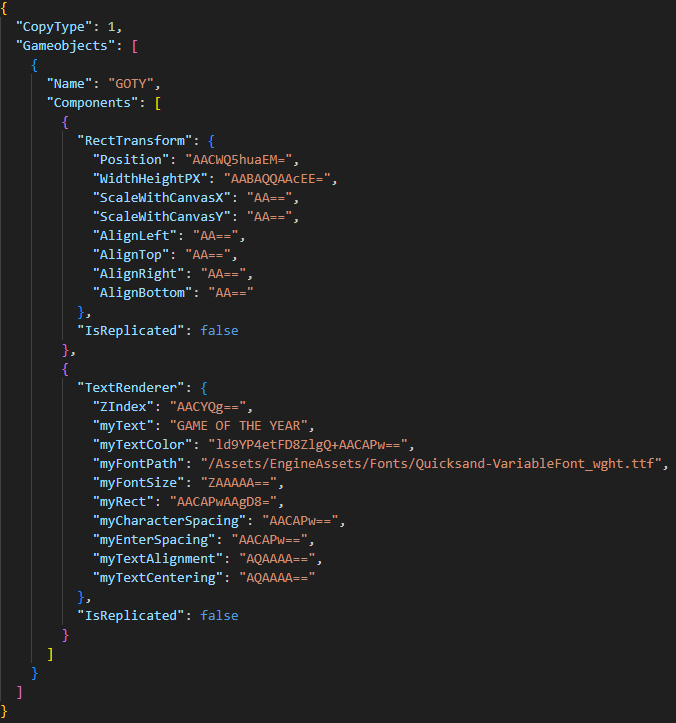
We use parts of the scene saving to save the selected object and its reflected variables to a JSON text string.
With this JSON we can paste the data so we get a duplicate of the object we copied.
Side note if the variable is an asset, we only copy the GUID to make it smaller to copy.
It could copy the whole texture but JSONs dont like bytes anyway so it does not make much sense anyway.
Engine Physics
The game we are making does not require a physics system but the games in the future will.
We had other ideas that were physics based but they were scrapped.
The chosen physics system was Box2D since it's both open source and has amazing documentation.
A contender was Jolt physics but Box2D seemed to be more used.
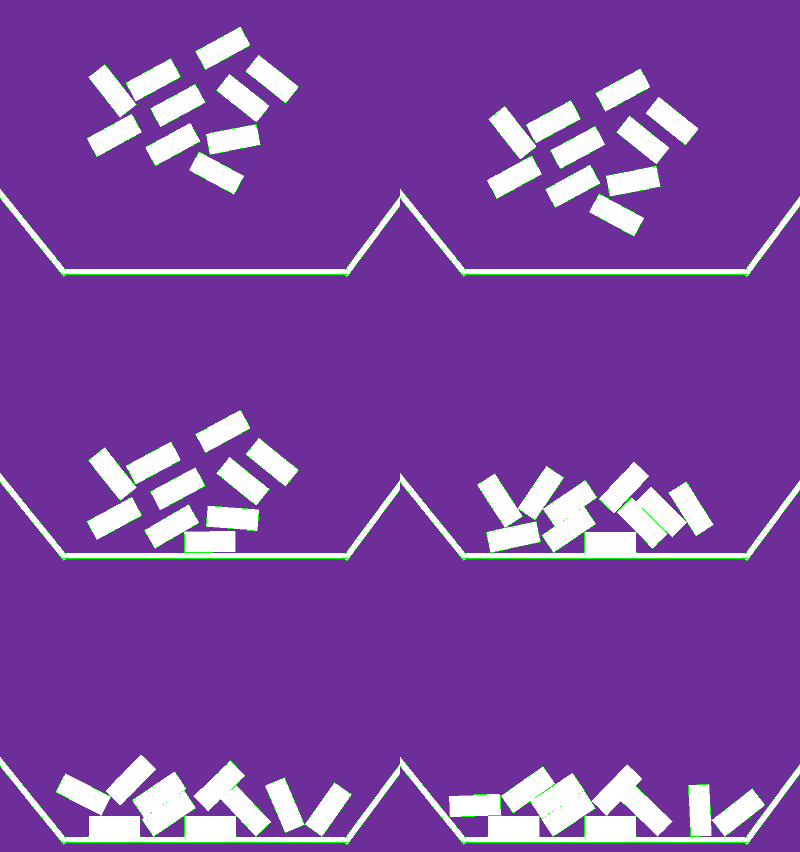
The physics system had to work well with our Entity Component System so making components for Rigid bodies, colliders and joints were a given.
Box2D expects all objects to have a body but makes them static if only a collider is required.
I had to improvise a solution for this since having an extra component, a rigid body that was always static made no sense.
The Problem
If a rigid body is added first, after that, a collider then nothing special happens.
The collider's body becomes the rigid body's internal body.
The problem came with adding a collider first then adding a rigid body would make the object be static because the collider already created a body for the object and now it has 2 bodies.
The physics system does not like This
The Solution
The solution was when a rigid body is added, we check if the object has a collider and thus already has a body.
If it has a body we use that body for the Rigid body component and set the Box2D internal body to rigid.
If we delete the rigid body we don't check if it has a collider but just set the internal body to static.
If it has no collider then the destructor of Rigid body will delete the body anyway so no more checks have to be done.